The EchoNET
Ambient firmware for the M-VAVE FM-1. What you play is caught by up to four tape-like loops that bring it back, each pass a little quieter and darker, until it wears away.
Free to install from this page, and free to go back.
Version 2.2 · by Darren Lock
An instrument that remembers, and forgets
The EchoNET replaces the FM-1's own firmware with an instrument made for slow, spacious music. Play a phrase and the loops catch it. Each loop has its own length, so the notes come back at different times and drift against each other. Every pass wears them a little, the way tape does: quieter, duller, a touch unsteady, until they fade. Keep playing and new phrases weave through the old.
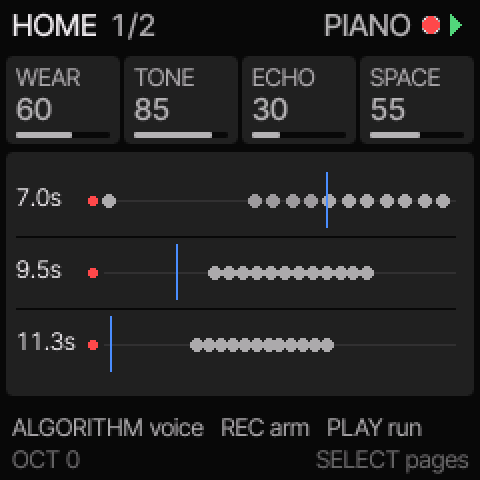
Four wearing loops
Two to sixty seconds each. WEAR, DARKEN, WOW and GAPS set how a pass changes them. Mute a loop, choose which ones record, erase a single pitch.
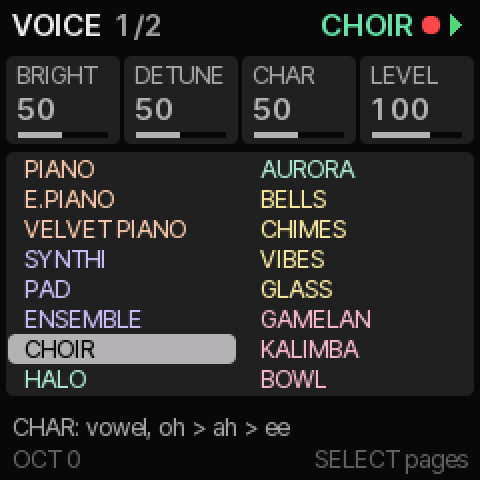
Sixteen voices, one per loop
Piano, electric and velvet pianos; synthi, pad and a string machine; a choir, a blooming halo and a glassy aurora; bells, wind chimes, vibes and glass; gamelan, kalimba and singing bowl. Each family has its own colour. Give each loop its own voice, and one melody becomes an ensemble.
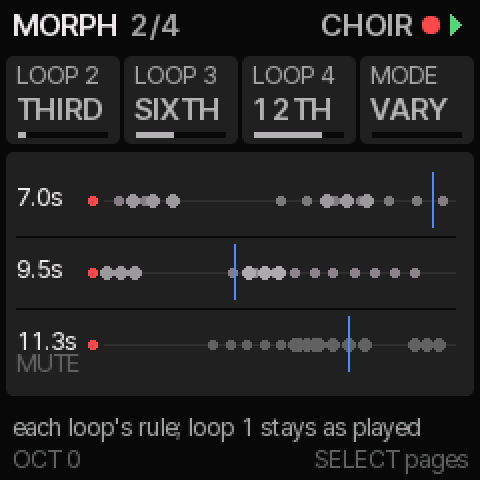
MORPH and Drift
Loops 2–4 can move the notes they repeat by a third, fourth, fifth, sixth, octave or wider, always within the scale. Drift plays slow wandering phrases on its own. Twelve scales tie it all together.
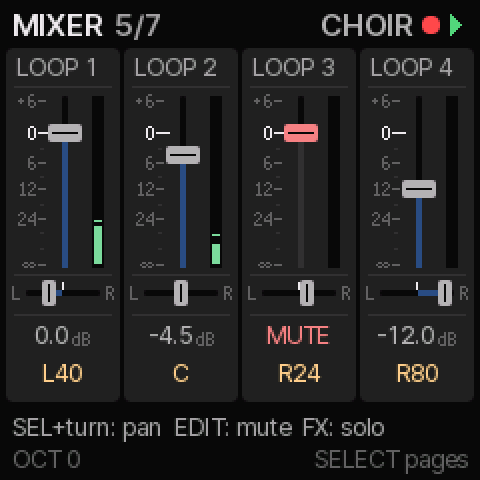
A mixer for the loops
A fader, meter and pan for each loop, with mute and solo, and a second page for the dry sound, the echo, the reverb and the main out. Every scene keeps its own balance.
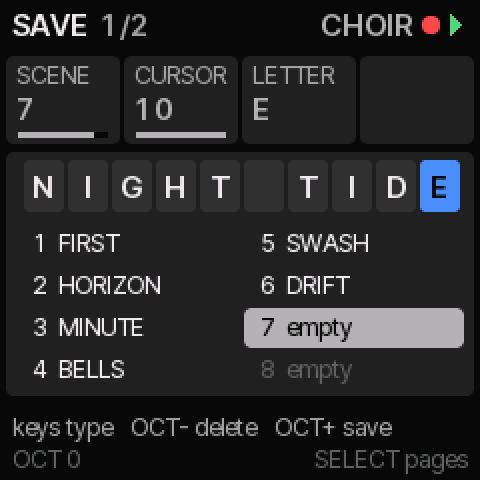
Your own scenes
Eight scene slots. Save your sound over any of them and name it, a letter at a time with a knob or typed on the keys. Clear a slot, or bring a factory scene back.

FREEPLAY
Press one button and it plays by itself: a calm ambient piece that keeps changing, its loops dealt new voices and rules every minute or so, with a visual show to match.
Listen
Recorded straight from The EchoNET's sound engine, the same code the FM-1 runs.
FREEPLAY
Four minutes of it playing by itself.
One melody, one voice
A nine-note phrase on piano, with its loops.
…four voices
The same phrase; the loops on piano, bells, vibes and pad.
…and four more
Glass, kalimba, gamelan and singing bowl.
ENSEMBLE
A string machine: held chords and a melody, then two loops.
CHOIR
Voices drifting between "ah" and "oh".
HALO
Pure tones at octaves and fifths, blooming slowly.
AURORA
A glassy shimmer, its octave slowly wavering.
Seventeen visualisers
Tap HOME twice and the screen follows the sound in pastel colour, each note with its own hue. Leave it alone for 15 seconds and it fills the screen, reflected below as in still water.
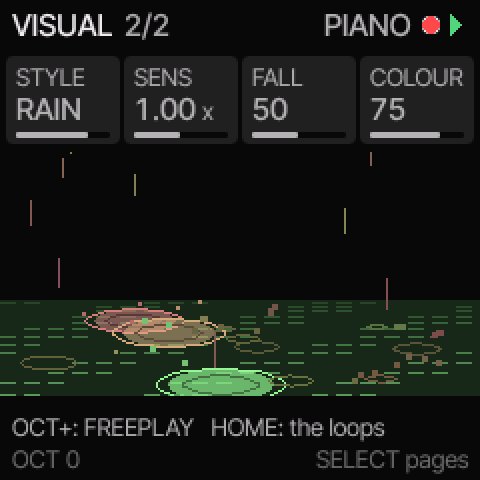
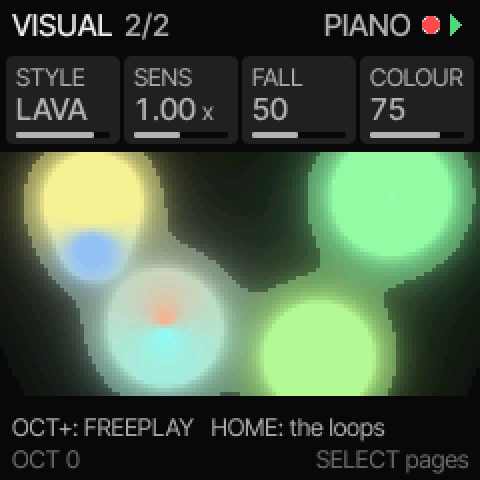
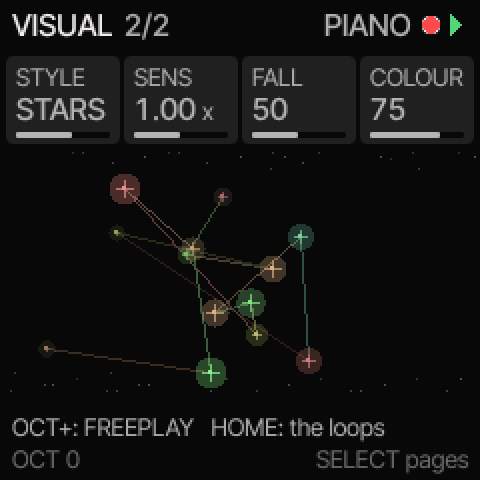
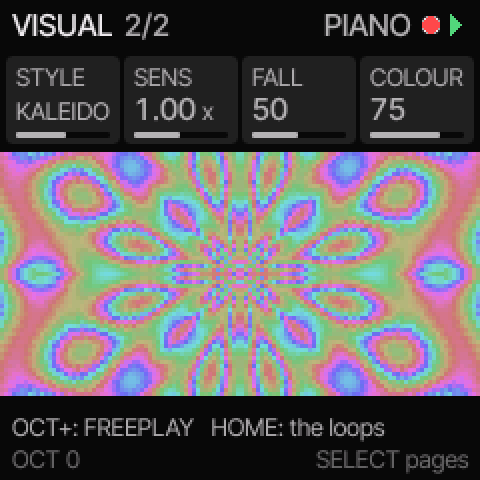
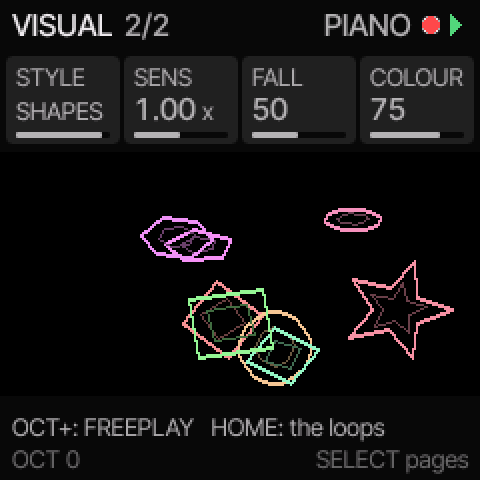
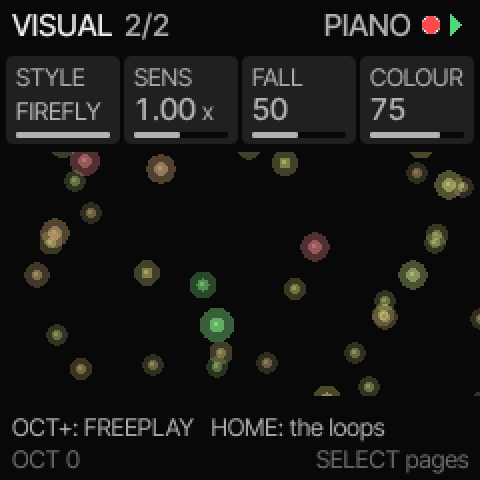
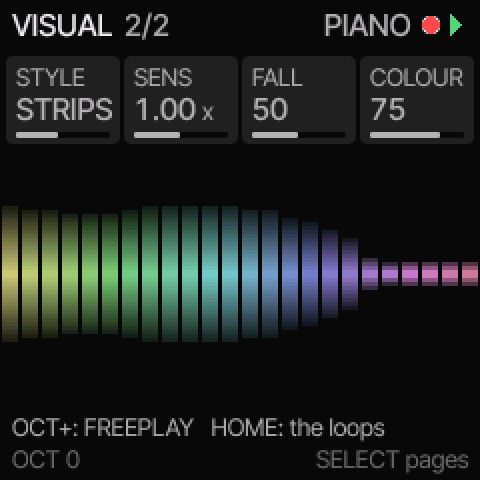
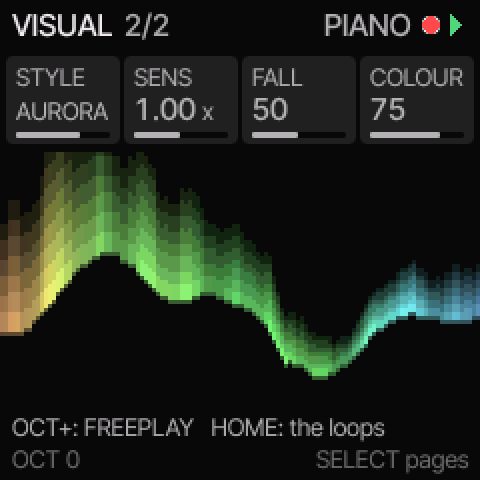
Also BLOOM, RIPPLES, WAVE, WASH, TIDE, PETALS, SWIRL, SMOKE and RIBBON. They are designed to be gentle: slow movement, no flashing.
Plays well with others
MIDI OUT sends each loop on its own channel over USB, worn and moved by MORPH as you hear it, so the FM-1 can play other instruments. Plug it into an Ableton Move and each loop plays a Move track. MIDI IN lets a keyboard or sequencer play The EchoNET. With Bluetooth MIDI on, it does both without a cable, to and from an iPad, iPhone or Mac.
Connected to a computer, it is also an eight-channel USB audio interface: the mix, each loop on its own channel, and the echo and reverb together, ready to record in Logic or any other music app. Each loop's channel can be recorded raw, to mix later, or as the mixer sets it.
Install
- Use Chrome or Edge on a computer. Safari and Firefox can't install firmware.
- Connect the FM-1 directly with a USB data cable and switch it on. Unplug any cable from its MIDI IN socket, and close other apps that use MIDI.
- Open the installer, press Install and allow MIDI when asked. It takes about two minutes; don't unplug it until the FM-1 restarts.
Updating, or trying something new? Back up your scenes first: the backup page saves them, with their names and your settings, to a file on your computer, and puts them back later (Chrome or Edge).
Prefer the command line? fm1-base's tools/fm1_install.py installs the downloaded file. SHA-256 checksums: SHA256SUMS.txt.
Please read. The EchoNET is custom firmware made by an individual, free and with no warranty. It has been tested on the author's FM-1, but you install it at your own risk. You can always return to the official M-VAVE firmware from the installer page.
Manual
Twelve short chapters, from the first sound to MIDI OUT. They are built into the FM-1 too: hold HOME for SETTINGS, then press OCT+.
Questions
Will it harm my FM-1?
It changes only the firmware, the same way M-VAVE's own updates do, and the installer checks every step. You can go back to the official firmware at any time from the installer page. As with any custom firmware there's a small risk; that's why it comes with no warranty.
How do I go back to the official firmware?
Download the official FM-1 firmware (V15 or V16) from M-VAVE, open the installer, choose "Go back to the official M-VAVE firmware" and pick the file. Your EchoNET scenes aren't kept.
I have an earlier version. What changes?
2.2 adds Bluetooth MIDI, voices grouped in coloured families and key lights that glow like a keyboard's, on top of 2.1's four pads, mixer, named scenes and MORPH intervals. Your saved scenes and settings carry over. Since 2.1 they are kept in a more compact form that 1.0 and 2.0 can't read, so if you go back to one of those, your saved scenes stay behind. Since 2.0, The EchoNET runs on its own foundation, with more memory to spare: cleaner reverb tails, and loops that hold twice as many notes. The EchoNET 1.0 stays available.
Can I back up my scenes?
Yes. The backup page copies the FM-1's saved scenes, their names and your settings to a file on your computer, and restores them later, onto the same FM-1 or another one. It works in Chrome or Edge with the FM-1 plugged in; restoring needs 2.1 or later.
Which browsers work?
Chrome and Edge on Windows, macOS, Linux and ChromeOS: they can talk to MIDI devices with SysEx, which installing needs. To just try The EchoNET in the browser, most modern browsers work.
Can I use it with my Ableton Move?
Yes. Connect the FM-1's USB-C to the Move's USB-A port, then set Move tracks 1–4 to MIDI channels 1–4. SETTINGS (hold HOME), then hold HOME again for MIDI OUT, sets the channels.
Does it use the FM-1's wireless radio?
Only if you ask it to. Bluetooth MIDI (SETTINGS, then MIDI OUT's second page, BT MIDI) lets an iPad, iPhone or Mac play The EchoNET and hear its loops' MIDI, without a cable. It is off unless you switch it on; until then the radio stays off.